Functional Agent Loops: Why Nushell's generate Beats the Imperative Loop
Building AI agents often involves a predictable but messy loop:
- Send history to the LLM.
- Receive a response.
- If the LLM wants to call a tool, execute it and repeat.
- If it's a final answer, stop.
In most languages, this is implemented with a while True loop and a mutable history array. While this mostly works, it’s often "noisy" and handles state updates and exit conditions in a way that mixes logic and control flow.
Enter Nushell's generate command.
The generate Pattern
Nushell is a structured-data shell with a strong functional influence. Its generate command is a "generator" or "unfold" operation. It takes an initial state and a closure. The closure returns a record with two optional keys:
out: What to emit into the stream.next: The state for the next iteration.
If next is missing, the loop stops.
Why it's Better for Agents
In our implementation of agent.nu, we leverage generate to handle the multi-turn conversation with Gemini 2.0 Flash:
generate {|history|
    let response = call_gemini $history
    let message = $response.candidates.0.content

    # Using the new 'get -o' (optional) syntax instead of deprecated '-i'
    let function_calls = $message.parts | where { |p| ($p | get -o functionCall) != null }

    if ($function_calls | is-not-empty) {
        # ... tool execution logic ...
        let next_history = ($history | append $message | append $tool_results)
        { out: $message, next: $next_history }
    } else {
        { out: $message } # No 'next' means we are done!
    }
} $initial_history
1. State is an Immutable Flow
In an imperative loop, you're constantly history.push()-ing. In generate, the history is passed from one iteration to the next as a value. This makes the logic easier to reason about—each "step" of the agent is a pure transformation of history into (output, new_history).
2. The Agent is a Stream
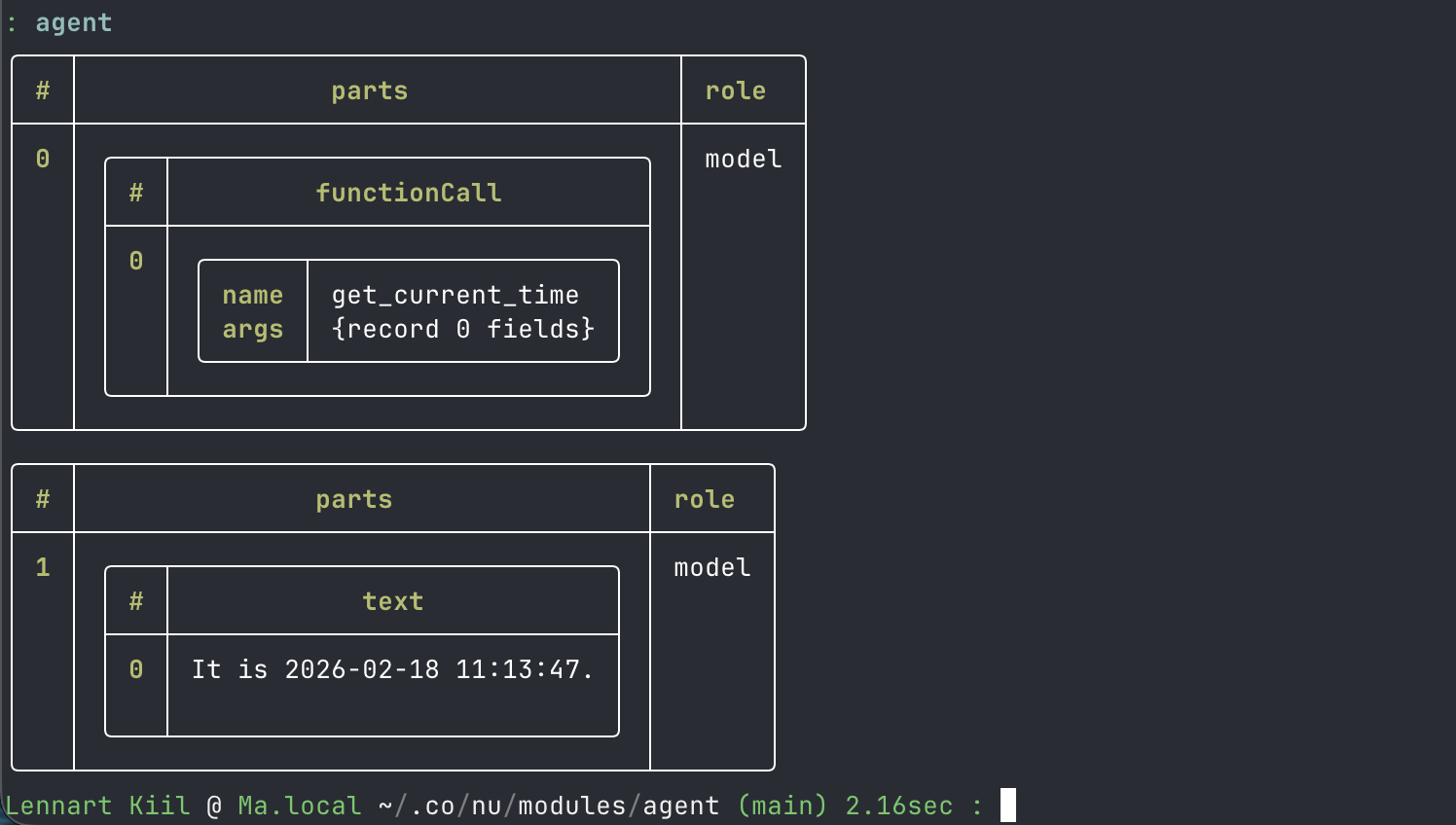
Because generate returns a stream, your agent becomes a first-class Nushell citizen. You can pipe the agent's progress directly:
agent "Plan a trip to Tokyo" | each { |msg| print $msg.role }
You can even use take, first, or where on the agent's "thoughts" as they happen. If the agent takes 10 steps to solve a problem, generate yields each step as it occurs.
3. Clear Exit Conditions
Imperative loops often have complex if/else chains with break or return statements buried deep inside. With generate, the presence or absence of the next key is the only thing that determines if the loop continues. This forces you to be explicit about your state transitions.
4. Composability
Since the output is a standard Nushell list/stream, you can easily save the entire trace of an agent's reasoning to a JSON file or display it as a table without adding any "logging" code inside the loop itself.
agent "What time is it?" | save trace.json
Conclusion
Nushell's generate turns the agent loop from a piece of infrastructure into a data pipeline. It removes the boilerplate of manual iteration and lets you focus on the core logic: how the agent's state evolves over time.
By embracing functional patterns like generate and modern syntax like get -o, we can build agents that are cleaner, more predictable, and natively integrated into the shell environment.