Who we are
Meet the core team at docujAI bringing together a wealth of experience in AI-driven software architecture, real-world application development, and strategic communication.
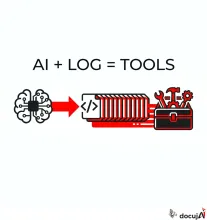
Most AI agents have a fixed toolbox, written by a human in advance. Yesterday, I built one where the agent writes the tools itself, and where each tool is kept for the next task. Everything it does can be audited afterward.
When building an AI agent today, you give it a set of tools: look up in the calendar, search the CRM, send an email. The model chooses between them, but it cannot create new ones. If a tool is missing, a human must write it.
Ten thousand product descriptions in one table scrolling at 60 frames per second. Then the table got a language model that writes suggestions and a judge that evaluates them. It's all built in Nushell, and every change is logged as an event.

On two ways to determine what's urgent on a todo list, and why I ended up using both.
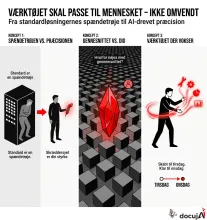
I've built a feature into the todo list I use in the terminal that's meant to answer one question: What should I do now? Each task is assigned a number for its urgency, and the list is sorted by that.
There are two ways to calculate the number. One is a formula. The other is to ask an AI. I've tried both, and the difference is more educational than the list itself.
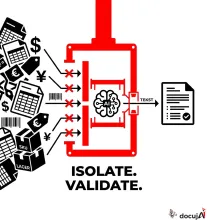
The easiest way to use AI on product data is also the worst: select a few hundred rows in the spreadsheet, throw them into a chat, and ask it to write descriptions, fill in the gaps, and clean up. It feels productive. And that's precisely why it's dangerous.
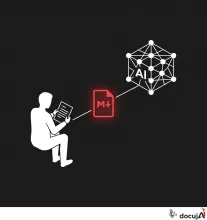
Last month, Google Cloud released an open specification called Open Knowledge Format — OKF. As I read it, I had a strange feeling of recognition. Because it describes, almost line by line, the way I myself have built up my knowledge base for over a year. Not because I was ahead of Google. But because the principle is old, and the direction the infrastructure is moving in now is the same direction a single consultant with a terminal also ends up in if they think it through.
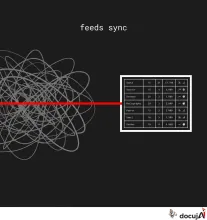
Last night and this morning, I built two small pieces of software that I've been missing for a long time: an RSS reader that runs in my own terminal, stores everything locally, and doesn't ask anyone's permission. Two open projects, and together they are smaller than most would think.
I've written before that I built my own CRM, and that I did it eleven times faster. It has grown since then. It now automatically logs who I've written to from the moment I send an email. I can register a phone call with five words in the terminal. It creates a daily summary that distinguishes between a meeting, a call, and an email, and tells me about the week in prose. It even gives me a little streak counter and some experience points, so I remember to maintain the filing system.
I recently made a small contribution to Nushell — the open source shell I use daily. It's a tiny improvement in how custom completers work, but it solves a specific friction I encountered every single time I had to use my own terminal tool. Here's what it's about.

I've built a small Nushell module called yolay.nu. It's about 470 lines of code. It's the most productivity-enhancing thing I've written this year, and I think it points to something broader about how AI should be integrated into a workday—not just mine.